

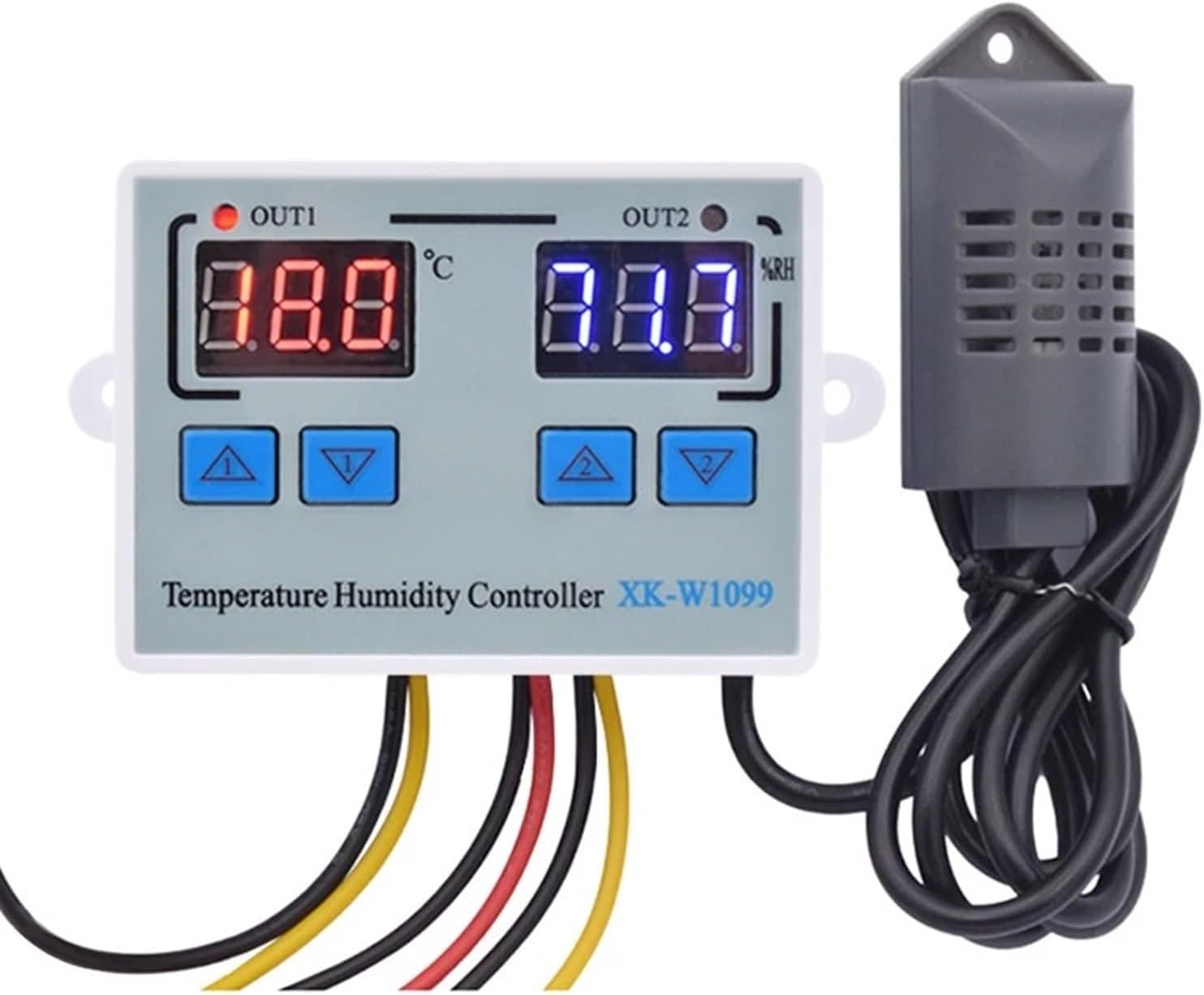
W1099 110V 220V 12V 24V Digital LED Temperature Humidity Controller for Incubator Thermometer Hygrometer Meter Sensor Thermostat(DC 12V)
Product details
| Management number | 211078992 | Release Date | 2026/04/04 | List Price | $20.60 | Model Number | 211078992 | ||
|---|---|---|---|---|---|---|---|---|---|
| Category | |||||||||
Thermostat ControllersW1099 110V 220V 12V 24V Digital LED Temperature Humidity Controller For Incubator Thermometer Hygrometer Meter Sensor ThermostatFeatures: Be able to control temperature and humidity at the same time. Be able to connect with humidifier and dehumidifier equipment at the same time. Be able to connect with refrigeration/ heating and humidifier/dehumidifier equipment at the same time. Heating/Cooling function could be set separately for refrigeration and heating to protect temperature controller from violent change.Same as humidity Control. Supporting Temp and Humidity Calibration [Dual Display Window] Be able to display measured temperature/humidity and set temp/humidity at the same timeSpecification:Model: XK-W1099Shell Material: PC + ABS FireproofInput Voltage: AC110V-220V, DC24V, DC12VMeasuring Temperature Range: 0°C~100° CMeasuring humidity range: 1~ 99%RHAccuracy: ±1°C, 0.1%RH Relay Output Contact Capacity: Two Relay Max10AOutput Type: Direct OutputSensor Length: 1mSize: 75*56*31mmPacking List:1 X Temperature Humidity Controller + 1 X SensorTemperature indicator Temperature value Start temperature Stop temperatureHumidity indicatorHumidity value Stop humidity Start humidityItem NO.Operation instruction:Set Starting Temperature:Press the Up button once to display the starting temperature.Long press the Up button for about 3 second until the starting temperature number flashes. The required temperature can be set by the Up and Down buttons.Set Stop Temperature:Press the Down button once to display the stop temperature.Long press the Down button for about 3 seconds until the stop temperature number flashes. The required temperature can be set by the Up and Down buttons.Set Starting Humidity:Press the Up button once to display the starting humidity.Long press the Up button for about 3 second until the starting humidity number flashes. The required temperature can be set by the Up and Down buttons.Set Stop Humidity:Press the Down button once to display the stop humidity.Long press the Down button for about 3 seconds until the stop humidity number flashes. The required humidity can be set by the Up and Down buttons.Temperature ( Humidity) Correction:Press Up and Down buttons at the same time for 3 seconds to display 0.0, and then set the value by pressing the Up and Down buttons. Positive Value = Measured Value + Corrected Value(Humidity correction is the same method, by pressing Up and Down buttons. )Reset:When the power is on, long press the Down and Down buttons at the same time for 3 seconds. The reading shows 888, and then the controller automatically jumps to the detected temperature( humidity).Heating Cooling Method:Operation MethodHeating Mode<; Stop temperatureProgram automatically determines the working mode is heading modeCooling ModeStart temperature > Stop temperatureProgram automatically determines the working mode is cooling modeWiring WayNote:1. 12V/24VDC W1099 can use the or 12V/24V Power Supply.2. W1099 is Direct Output: The output and input voltage are synchronized.When the Temperature Humidity Controller is working ( the indicator light is on), the output voltage is the same as input voltage;When the Temperature Humidity Controller is off (the indicator light is off), the output will do not have voltage.
- Thermostat Controllers
- W1099 110V 220V 12V 24V Digital LED Temperature Humidity Controller For Incubator Thermometer Hygrometer Meter Sensor Thermostat
| Color | DC 12V |
|---|---|
| Brand Name | RTOZWC |
| Manufacturer | RTOZWC |
| Material Type | Acrylonitrile Butadiene Styrene (ABS) |


Bestseller ranking
Thermostat Controllers


Customers who viewed this product also viewed
Kid Carriers


Correction of product information
If you notice any omissions or errors in the product information on this page, please use the correction request form below.
Correction Request Form